Landing Page Template

  • Posted in : Empathy
  • khomeinimuj
    Participant

    hi, i am trying to create a landing page template, but in the page attribute i cannot create custom page template.

    should i do it using child theme? how?
    because i don’t want to use plugin like elementor

    serkan
    Moderator

    Method: Block Editor

    Step 1: Create a new page
    Go to Pages > Add New.
    Add a title to your new page.

    https://ibb.co/gFxxzP8
    https://ibb.co/TLgtDvs

    Step 2: Add and customize blocks
    Add various blocks such as Cover, Buttons, Images, and Text to build your page.
    Customize each block’s settings to match your design and content needs.

    Step 3: Optimize layout and responsiveness
    Arrange the blocks to create a logical flow that guides visitors towards your call to action.
    Use the Preview button to see how your page looks on different devices and adjust as necessary.

    Step 4: Publish your landing page
    Once everything looks good, hit Publish to make your landing page live.

    khomeinimuj
    Participant

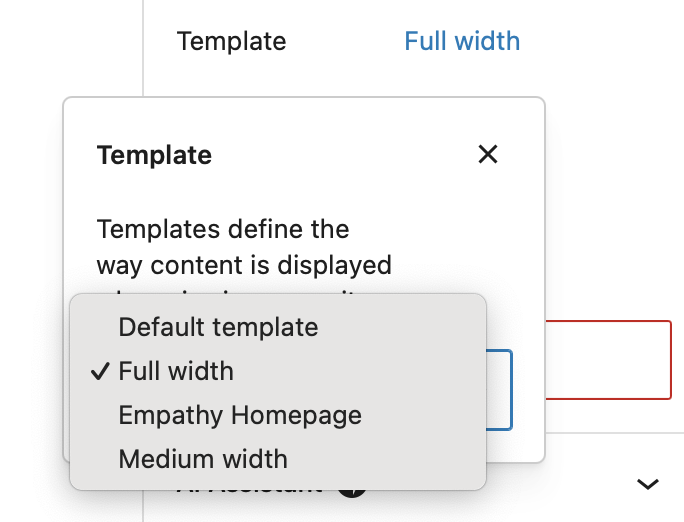
    i understand, but what will i chose from the tempalte option? full width, emphaty page, medium width?

    https://khomeinimuj.me/wp-content/uploads/2024/11/Screenshot-2024-11-19-at-15.20.23.png

    serkan
    Moderator

    Hi, Unfortunately, this will be limited without using Elementor. You can do it by editing child theme with advanced code knowledge. This is not possible by default.

    khomeinimuj
    Participant

    okay, understood…
    i’ve tried using elementor plugin, but it messed up with the current page, especially the bootstrap grid arrangement.

    but it’s okay for now, thanks again!

    serkan
    Moderator

    You are welcome. I am here to help you. If you need me keep me updated.
    Thanks

Viewing 6 posts - 1 through 6 (of 6 total)

You must be logged in and have valid license to reply to this topic.

License required for the following item
Login and Registration Log in · Register