IVCARD – Blog Navigation Menu

  • Posted in : impressivCard WP
  • Draider2001
    Participant

    Within the blog page, their is no menu for users to navigate back to blog or the rest of the site’s pages.

    Is there a way to add a Navigation Menu into the Blog page and single posts?

    Mehmet S.
    Keymaster

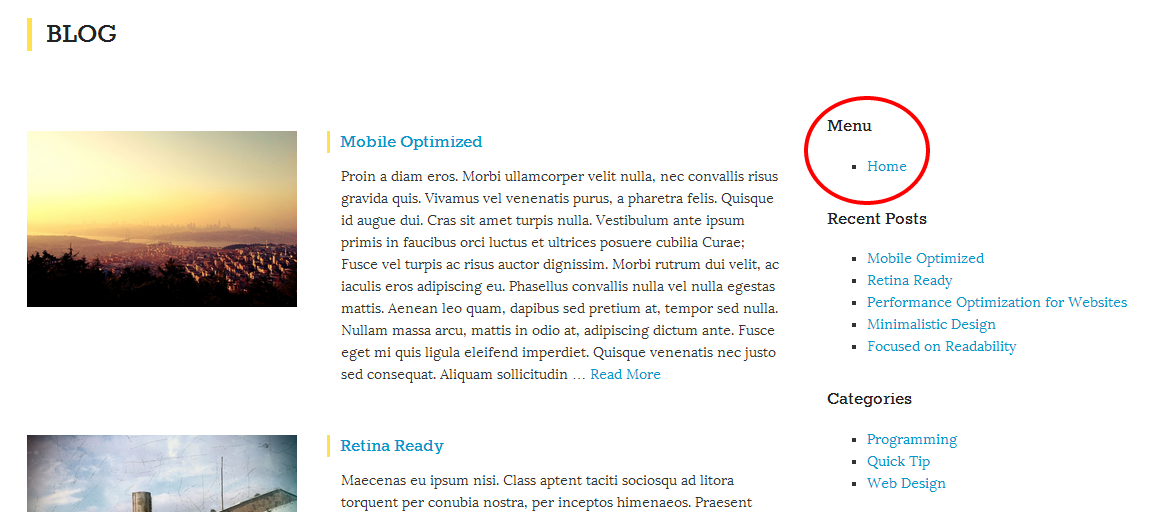
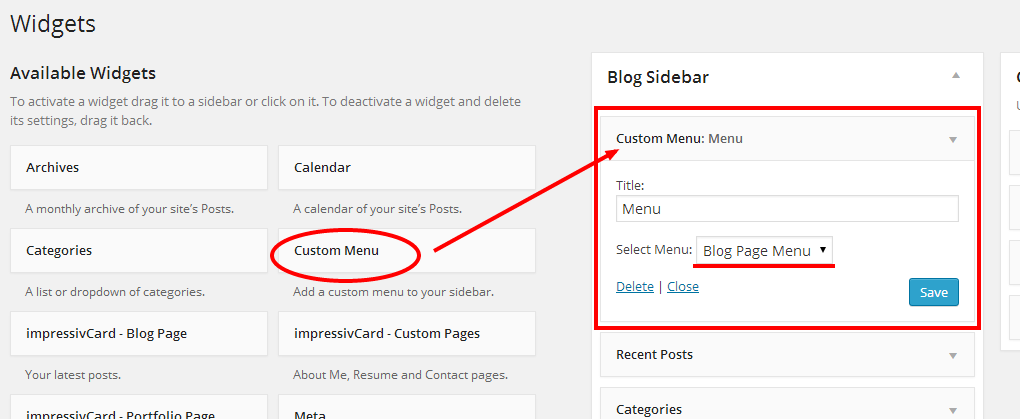
    Hi, you can use the Custom Menu widget to add a navigation menu to your blog page’s sidebar.

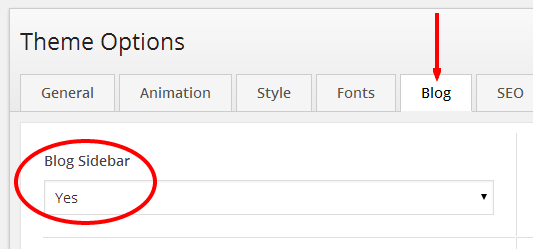
    See in the images:

    jaampro
    Participant

    Hi How can I do this menu within the blog content pages? I followed these steps to add the blog sidebar. However once I open a blog item there’s only left/right arrows but no X (like on the portfolio) or menu to get back to the post list or the rest of the site. Did I miss something?

    daveferrick
    Participant

    I second jaampro’s question. The blog content pages need to share the same navigation as other pages. Will this be implemented?

    Mehmet S.
    Keymaster

    New version is available on ThemeForest.

    – post sidebar added. (Theme Options > Blog > Post Sidebar).

    daveferrick
    Participant

    Thanks for the update Mehmet. Does this enable blog content pages to share the same top navigation as other pages?

    Mehmet S.
    Keymaster

    It is not possible at this time.

    Menu in the sidebar: http://themes.pixelwars.org/impressivcard-wp/blog

Viewing 7 posts - 1 through 7 (of 7 total)

The forum ‘impressivCard WP’ is closed to new topics and replies.