I couldn’t find the services feature anywhere in the theme, so I copied the html from the sample site and put it into a text widget on my homepage. It showed up, but it’s not responsive. Any ideas? Thanks.
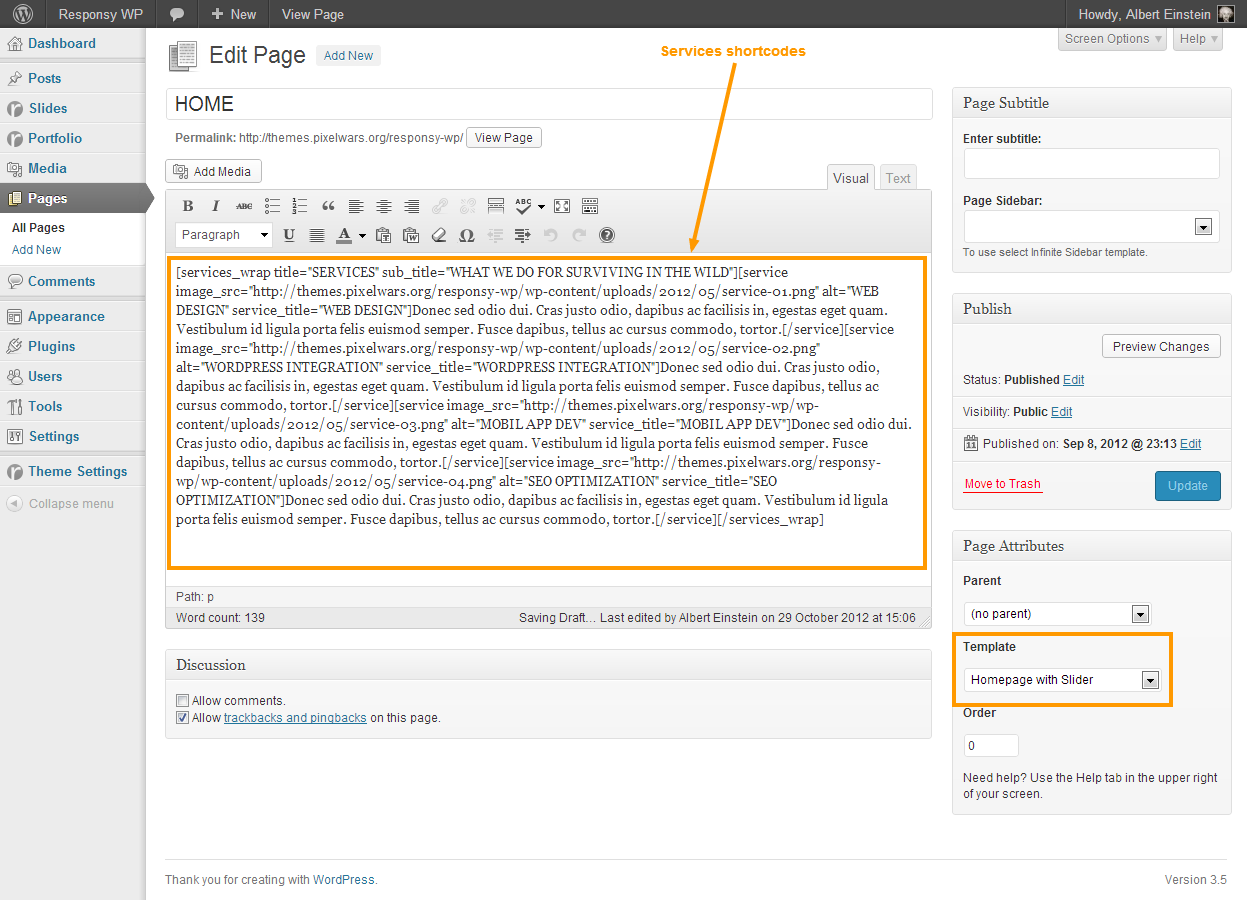
– Use services shortcodes in your homepage content editor,
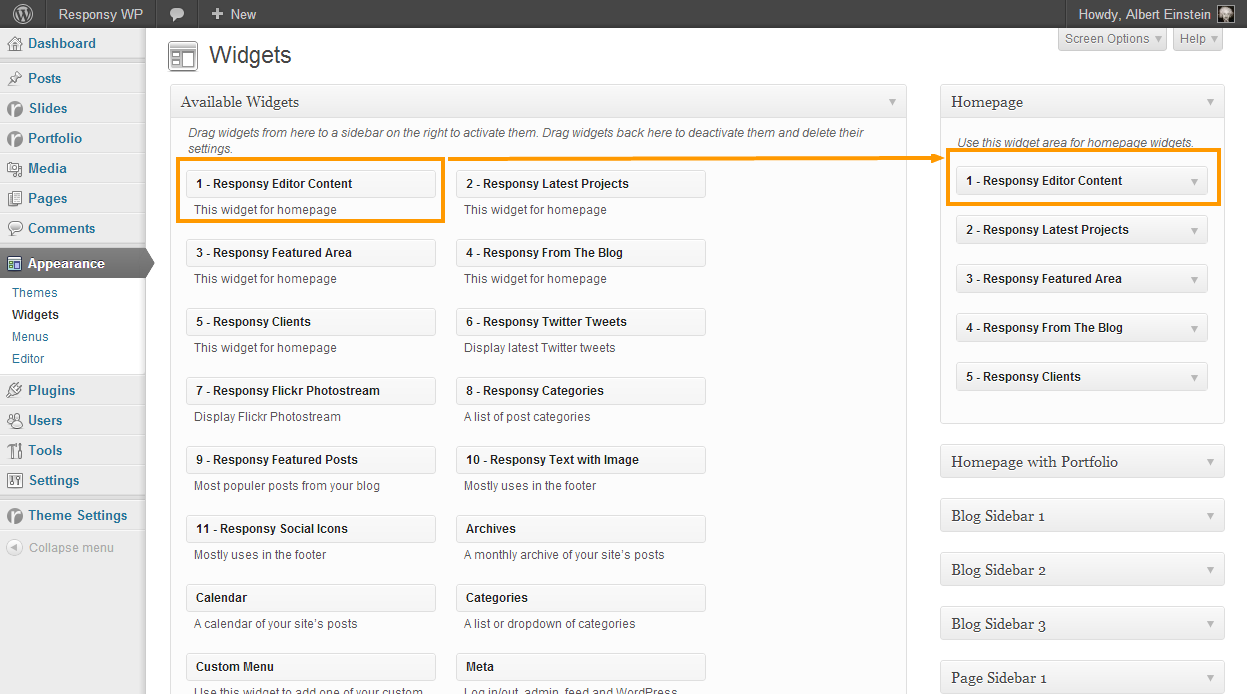
– Don’t forget to drag the Editor Content widget to its widget location.
Services Shortcodes:
[services_wrap title="" sub_title=""]
	[service image_src="" image_url="" alt="" service_title=""]Put your text here[/service]
	[service image_src="" image_url="" alt="" service_title=""]Put your text here[/service]
	[service image_src="" image_url="" alt="" service_title=""]Put your text here[/service]
	[service image_src="" image_url="" alt="" service_title=""]Put your text here[/service]
[/services_wrap]