Forum Replies Created
list of topics you have created till now.
-
-
Everything works fine now, you’ve done a great job, thank you very much :D
Hello Mehmet,
Ok I downloaded the new version, but portfoilio doesn’t work. I desactivated, deleted, reinstalled it, but still doesn’t work.
Please visit http://www.miguy.re and try, you will see.
Even in dashboard, as i went in portfolio menu, I tested a “view” of one of then, the link is wrong : http://www.miguy.re/portfolio/le-jardin-de-grandmere/Please help !
Ok, thank you very much :)
WilsonIt works !
Thank you Serkan, have a nice day !
Hello Serkan,
It still doesn’t work. Dis I made a mistake ?
http://i1376.photobucket.com/albums/ah34/wilson-legros/public/2016-02-08_121055_zpsiifonl5q.jpgThank you,
WilsonHello Serkan,
I changed in “main.css”, LIGHT TEXT ON PAGES with
.light-text, .light-text label { color: #00f; }
to make a blue animated text color but it doesn’t work. Every color I tried, there’s no change.Can you help please ?
Thank you,
Wilsonwilson-legros
Participant6 February 2016 at 19:18Posted in : Change background color for page with mapGreat ! Thank you very much :)
Participant5 February 2016 at 17:55Posted in : Change background color for page with mapHello Serkan,
Before posting, I tried this. The 4th page is in white color. If I remove the map, the page will be white, but as I added the map, it becomes blue. That’s my question in the title : how to change background when you add a map in a page.
Thank you,
WilsonVery good, thank you Serkan !
The entire code is not written on my last post. But be sure I pasted the two codes generated on facebook developer’s page.
Hello,
With link https://developers.facebook.com/docs/plugins/like-button I added the two codes generated in home page and it works fine. Good !
But in portfolio’s page, it doesn’t. I made a test with http://www.miguy.re/#/portfolio/portfolio/vesalius/
Here the code. Do you know why it doe’nt work?
(function(d, s, id) {
var js, fjs = d.getElementsByTagName(s)[0];
if (d.getElementById(id)) return;
js = d.createElement(s); js.id = id;
js.src = “//connect.facebook.net/fr_FR/sdk.js#xfbml=1&version=v2.5”;
fjs.parentNode.insertBefore(js, fjs);
}(document, ‘script’, ‘facebook-jssdk’));Thank you,
WilsonWich related topic ?
Or to tell me how to do with custom CSS ?
Hello Serkan,
Maybe you can tell me if there’s a plugin “FB like button” works in portfolio ?
Thank you,
WilsonHi Team,
I had a look in read.pot with poedit but I didn’t find the word “ALL” wich appears in portfolio and I’d like to translate it (in french).
Can you tell me where is that word please ?
Thank you,
WilsonThank you Serkan, It doesn’t matter :)
Very good, thank you Serkan !
Hi Serkan,
Sorry, it’s me again.
I have the same problem.
I checked all what you said to Ding :
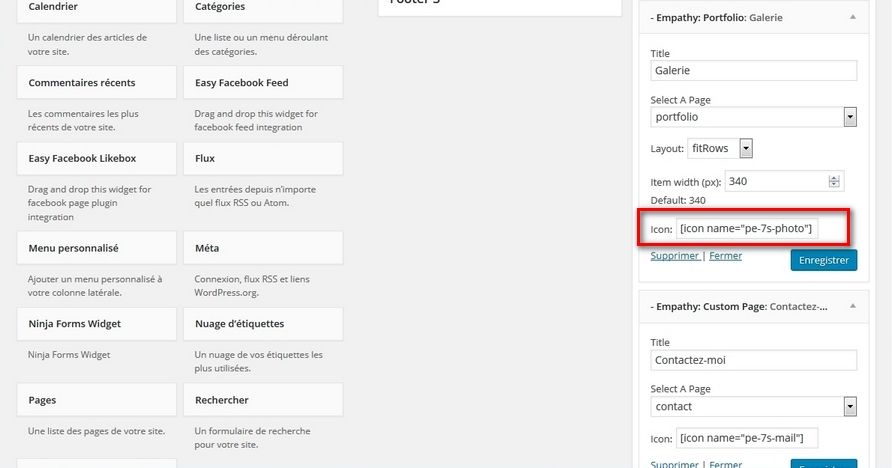
http://i1376.photobucket.com/albums/ah34/wilson-legros/public/2016-01-21_140742_zpsqajnfs5c.jpg
http://i1376.photobucket.com/albums/ah34/wilson-legros/public/2016-01-21_140848_zps84joladq.jpg
http://i1376.photobucket.com/albums/ah34/wilson-legros/public/2016-01-21_140926_zpstsj3anfu.jpg
http://i1376.photobucket.com/albums/ah34/wilson-legros/public/2016-01-21_142208_zpse3b6iub4.jpgI tried with
– Firefox
– IE
– OperaWhat else can I do ?
Thank you,
WilsonHi Serkan and thank you for this link.
I really don’t understand where I can create departments in “Portfolio Categories”. I only can “add new” category, nothing else…
Thank you.
WilsonParticipant15 January 2016 at 22:06Posted in : ninja forms doesn't work with custom menuWoohoo ! Good job !
Thank you very much !Participant15 January 2016 at 14:29Posted in : ninja forms doesn't work with custom menuMy empathy theme is active. You can have a look now :)
Thank you !
Participant13 January 2016 at 13:36Posted in : ninja forms doesn't work with custom menuHello,
I installed this site in local with Wamp server.
Plugin installed are : wordpress installer and ninja forms, that’s all.
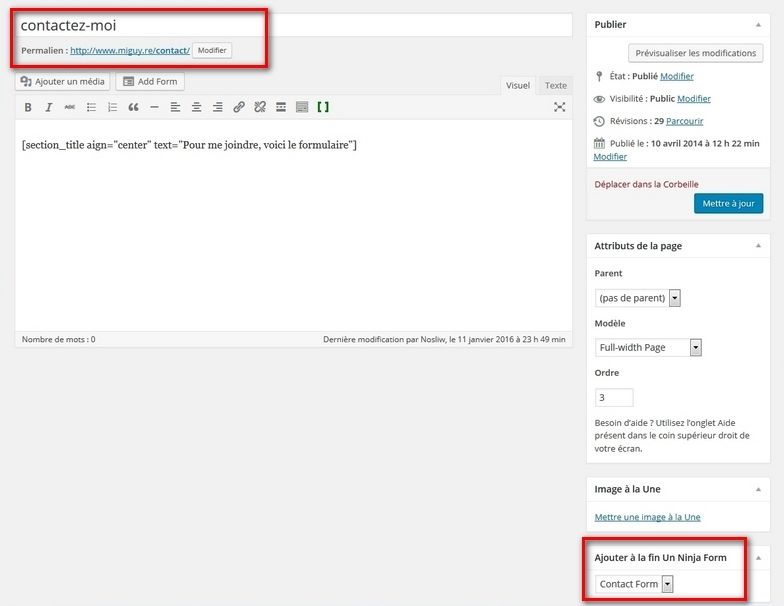
I imported demo data.1 : I modified conctact page as I added the contact form ninja forms at the bottom on the page.
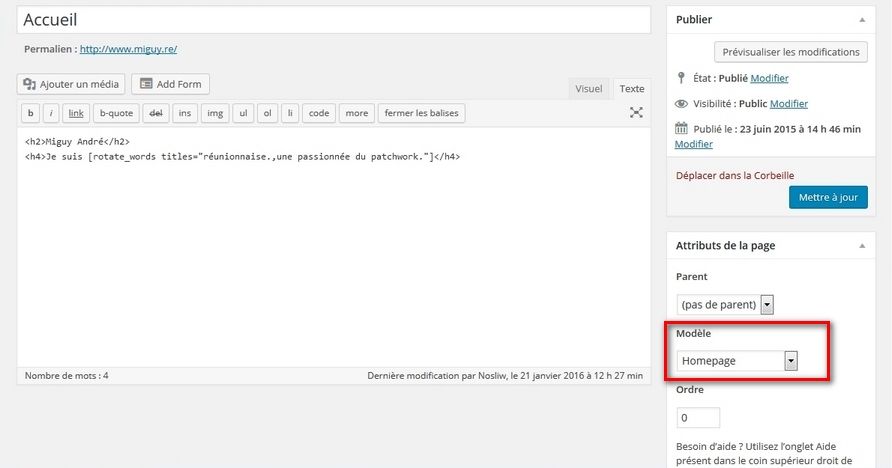
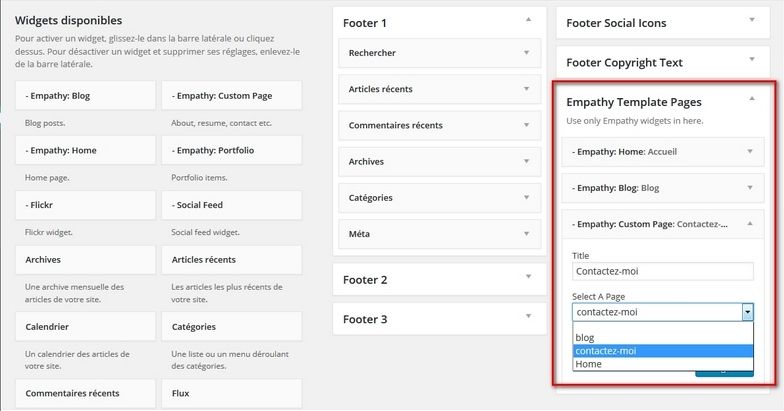
2 : I created “Empathy Template page” with home, blog and contact pages.
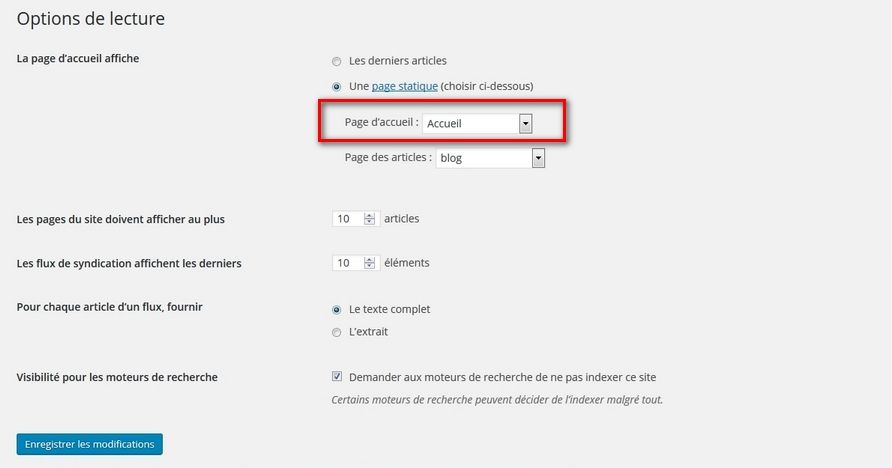
3 : Settings > Reading > static pages > home and blog
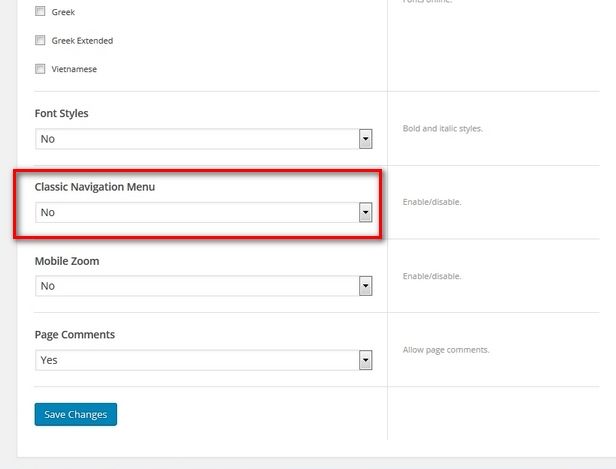
4 : Appearance > Menus, I created a new one with home, blog and contact pages > Auto add pages : Automatically add new top-level pages to this menu and Theme locations : Classic Navigation MenuAnd… the problem is the same.
What did I forget or what did I do wrong ?Thank you,
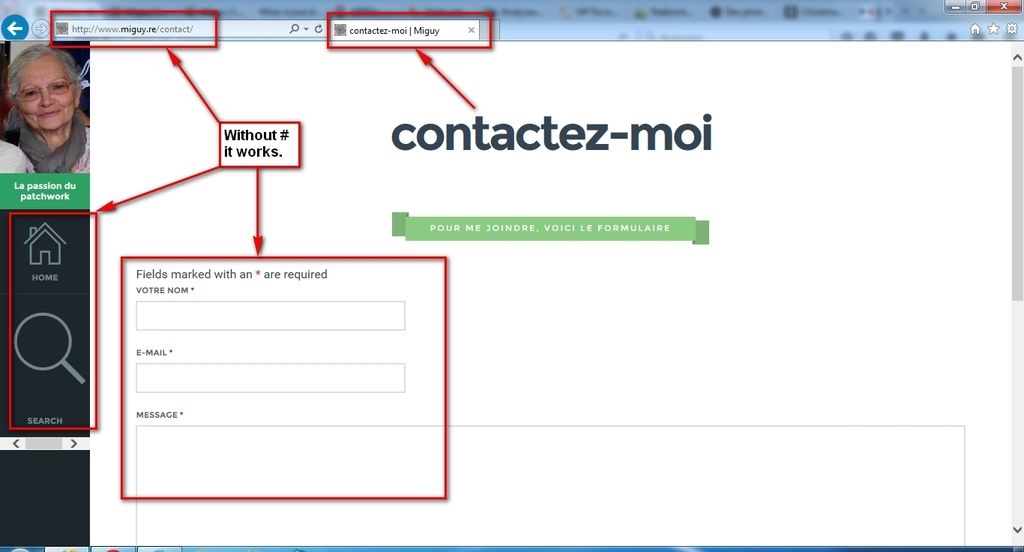
WilsonParticipant13 January 2016 at 00:30Posted in : ninja forms doesn't work with custom menuHere are the screen shots I made.
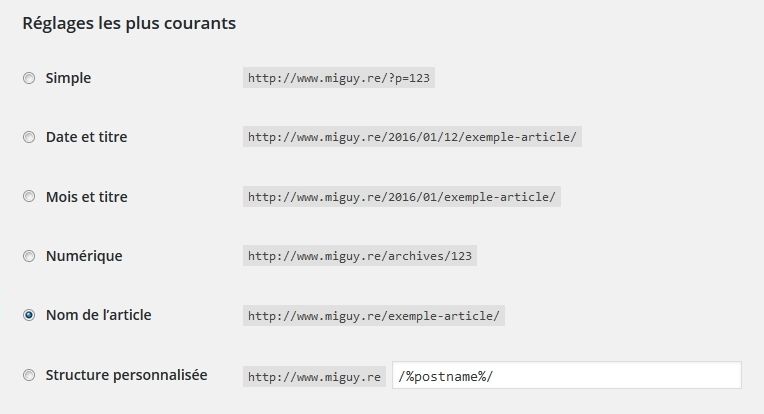
What you asked me to check :
http://i1376.photobucket.com/albums/ah34/wilson-legros/public/2016-01-12_222151_zpsibuvneai.jpg
http://i1376.photobucket.com/albums/ah34/wilson-legros/public/2016-01-12_222233_zpsd4zfflsh.jpgThe contact page :
http://i1376.photobucket.com/albums/ah34/wilson-legros/public/2016-01-12_224834-2_zpsajaoeqt4.jpgand the result :
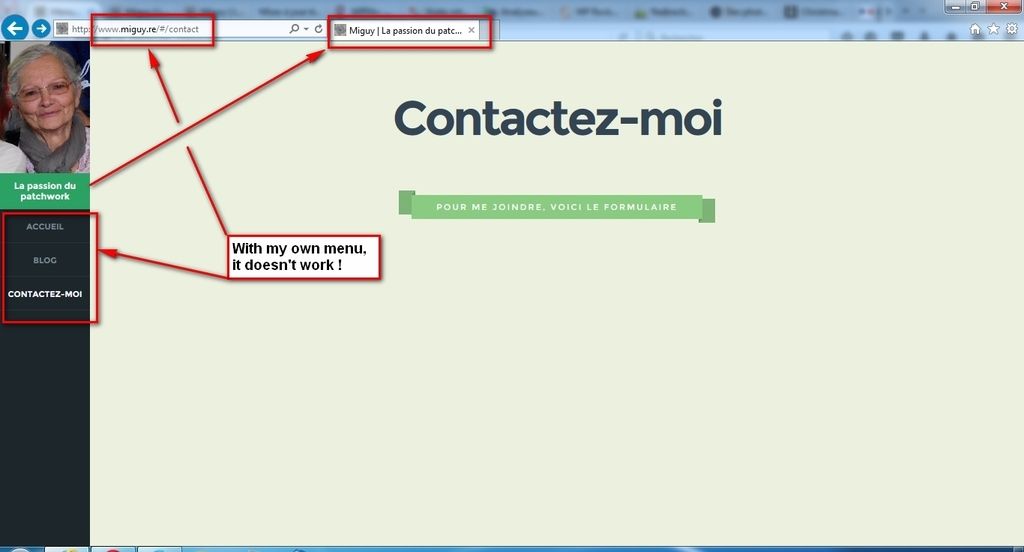
http://i1376.photobucket.com/albums/ah34/wilson-legros/public/2016-01-12_222510-2_zpscwdfhnxe.jpg
http://i1376.photobucket.com/albums/ah34/wilson-legros/public/2016-01-12_222449-2_zpsllj8qf0o.jpgParticipant12 January 2016 at 17:33Posted in : ninja forms doesn't work with custom menuHi Serka,
It’s done, but problem still here.Participant12 January 2016 at 16:58Posted in : ninja forms doesn't work with custom menuCheck. It is.
Participant12 January 2016 at 16:32Posted in : ninja forms doesn't work with custom menuThank you Serkan,
Deactivated all my plugin : done but the problem is still here : ninja forms doen’t work on my page.
About Goole map thank you for the code.
About background color, it’s weird that the same page hasn’t the same color if the menu changes…