

Forum Replies Created
list of topics you have created till now.
-
-
Hi,
I just checked your related url. The efor theme was not activated. I just activated it.
Can you contact your hosting provider about increasing the allocated memory size for your site?
It should be at least 256mb. It depends how much third party plugin you are using to.
ThanksHi,
You can make it with use the.blog-simplecss code. You can choose and pick the related code.
Example; You can make the thumbnail smaller with this css code in the mobile devices.@media screen and (max-width: 767px) { .blog-simple .hentry:hover .featured-image { max-width: 50px; max-height: 50px; } }You can make the title font smaller with this css code.
@media screen and (max-width: 767px) { .blog-simple .entry-title a { font-size: 14px; } }Thanks
Hi Jean-Frédéric,
I will forward this topic to our developer and i will keep you updated.
ThanksHi, Can you try to use these custom css code
@media screen and (max-width: 767px) { .is-menu-hover-marker-horizontal .nav-menu .link-text:before { right: 0; left: auto; width: 0; transition: width .3s; width: 0; height: 50%; } .current-menu-item { background-color: #f4e877 !important; border-color: #f4e877 !important; } }Hi,
We will try to fix it with a theme update in the future.
Now, you can downgrade your WordPress version with a plugin:
https://wordpress.org/plugins/wp-downgrade/Recommended: Always do yourself the WordPress new major version updates.
Tip: Go to your “Dashboard > Updates” page, and disable automatic updates for new major versions of WordPress. (Switch to automatic updates for security releases only)
Hi,
Can you add this custom css code;#nf-field-15 { max-width: none; }Thanks
Hi,
Could you please more descriptive please?
If you choose latest post template, you will able to get the latest from the blog section. You will still able to customize the whole area again.
If you want, export and save your posts and all the information. Then delete all the content using the wp reset plugin, upload the demo content completely and make it easy for you to edit.
ThanksHi,
I deactivated your third party plugins and the problem is gone. One of your third party plugin is conflicting with the theme.
You should deactivate them one by one and realize which one is conflicting with the theme.
ThanksYou are welcome.
Hi,
I just added a custom css code. Could you please check it again?
ThanksHi @TonyaRagene
Thanks for the best wishes. I just checked your website and your footer looks okay. If you still have any issue, provide me your wp admin details via our private content box below.
ThanksHi kaiqui,
Please go to appearance > theme options > general > logo type : image logo and click to browse button and upload your image logo.
When uploading your image logo, you need to setLink Url = File UrlSize : Full Sizeand then click on “Insert Into Post” button.If you remove one of social icons from the contact page, you should add first and last icon shortcode as well.
[social_icon first_icon="yes" type="facebook" url="#"]
[social_icon type="twitter" url="#"]
[social_icon type="linkedin" url="#"]
[social_icon type="google-plus" url="#"]
[social_icon type="pinterest" url="#"]
[social_icon type="instagram" url="#"]
[social_icon type="vine" url="#"]
[social_icon last_icon="yes" type="vimeo" url="#"]Thanks
You are welcome :) We’d be very happy if you can spare a minute to rate the theme on ThemeForest. Your feedback will boost our motivation and help us to work harder on future updates.
https://themeforest.net/downloads
Thank you for your support.
Hi,
Did you change the url because the url doesn’t work. Keep me updated.
ThanksHi,
You can use this custom css codeinput:not([type=submit]):not([type=button]):not([type=file]):not([type=radio]):not([type=checkbox]):focus, textarea:focus, input:focus, select:focus, div.uploader:hover { border-color: #fff; }I couldn’t test the background as my mobile doesn’t have autofill feature. But you can check out this related topic;
https://medium.com/@landonschropp/styling-autocompleted-inputs-in-chrome-and-safari-de83d7bd1d8a
The problem of not being able to copy and paste either comes from one of the additional plugins or your hosting company has a protection. You have to deactivate and test the plugins one by one. You can request additional assistance from your hosting company.
You can add hashtah contact before the css code. Example;#contact input:not([type=submit]):not([type=button]):not([type=file]):not([type=radio]):not([type=checkbox]), textarea, select, .selector, .uploader { color: #fff; border: 2px solid #fff; } #contact input[type=submit], #contact input[type=button], #contact button, #contact a.button { border: 2px solid #fff; } #contact input[type=button]:hover { background-color: #8acb82; }Thanks
Hi,
I just imported the demo home alternate content for you. You can customize it.
https://babadebijouxbohemes.fr/home-alternate/
Btw, when you choose your homepage you need to choose latest post template on the right hand side. I just chose it for your homepage as well. You don’t need any page builder as well. It is just optional.
You can add an url for the link box. See the screenshot below;
https://ibb.co/CwHbL5Y
ThanksHi,
1-You need to go to appearance > widgets > blog sidebar > drag and drop the widgets and save it.
Then go to appearance > customize > sidebar > activate sidebar for the blog and save it.
2-You need to install wp bakery page builder and easily add latest post widget to your homepage.
3-Yes, you need to install and activate mail chimp plugin.
4-You need to go to settings > reading > choose blog page and save it.
ThanksHi,
You can add this custom css code;#secondary { width: 20%; } #primary { width: 75%; }Also, you can use loco translate plugin for change the menu strings. You can search it in the forum how to use it.
ThanksHi,
We will try to fix it with a theme update in the future.
Now, you can downgrade your WordPress version with a plugin:
https://wordpress.org/plugins/wp-downgrade/Recommended: Always do yourself the WordPress new major version updates.
Tip: Go to your “Dashboard > Updates” page, and disable automatic updates for new major versions of WordPress. (Switch to automatic updates for security releases only)Hi,
You can add these custom css codes;input:not([type=submit]):not([type=button]):not([type=file]):not([type=radio]):not([type=checkbox]), textarea, select, .selector, .uploader { color: #fff; border: 2px solid #fff; } input[type=submit], input[type=button], button, a.button { border: 2px solid #fff; } input[type=button]:hover { background-color: #8acb82; }The widths look ideal on both sides.
You can contact to yoast see plugin’s author about the issue. It is not possible to upload a different icon for now. But you can do this by customizing.
https://www.pixelwars.org/forums/topic/adding-tiktok-and-opensea-to-homepage-social-meidia-widget/
ThanksHi,
You can go to appearance > customize > shop > change the grid item width and save it.
ThanksHi,
I will forward your request to our developer and i will keep you updated.
ThanksHi, there are two H1 tags, one for site title in “header” section element and the other for page title inside “article” section element, using multiple H1 tags are totally ok for SEO when used in HTML5 section elements.
you may check out the article below on this;
If you provide me your wp admin details via our private content box below, i can help you on this request. It might customized via appearance > customize > blog and single post section.
Have a nice day!
Hi,
Can you try to use this custom css code.woocommerce div.product div.images img { width: auto !important; }Thanks
Hi,
Our developer is trying to figure iconpress plugin out. The plugin author is not updating the plugin. We will try to find out an alternative solution. You can keep deactivate it now.
ThanksHi,
We updated jetelements and jet popup plugin issue.
You can try to updated the theme.
ThanksHi,
You should able to copy and paste the post. See the example below;
https://themes.pixelwars.org/empathy/demo/love-is-a-strong-word/
Maybe your one of third party plugin is protecting your posts.
You can try to use these custom css code;
1).nf-error .ninja-forms-field { border: 2px solid #ffffff; }
2).field-wrap textarea { color: #fff; }
3).nf-form-cont { overflow: hidden; }
4) I could not detect this issue. Maybe you can share a screenshot related to this issue.
ThanksHi,
Could you please provide me your wp admin details via our private content box below?
ThanksHi,
One of your plugin (like cache or minify) may affect your image.
You should deactivate them, clear your cache and try it again.
If you still have issue, run the regenerate thumbnails plugin once.
https://wordpress.org/plugins/regenerate-thumbnails/
ThanksHi,
You need to go to appearance > customize > header > menu > Chose stick and save it.
I have done it for you.
ThanksHi, You just need to edit your homepage and on the right hand side select “Page Header Style: Transparent” and now your homepage header will transparent and it will has a white background when sticky.
You can see it on the page edit screen;https://www.awesomescreenshot.com/image/11208404?key=b451c000838cc0df6db23f18685e4216
Cheers.
Hi,
You can go to appearance > customize > header > general > header small
appearance > customize > header > menu > menu align right
Appearance > widgets > header social media icons > you can drag and drop the social media icons widgets and save it.
ThanksHi @kaiqui
Please go to appearance > widgets > empathy template pages > check if the pages are selected.
Also, you can provide me your wp admin details via our private content box below and I can check it for you.
Have a nice day!Hi,
Thanks for the feedback.Hi,
Please always check out the theme’s page on Themeforest for a new major version of WordPress.
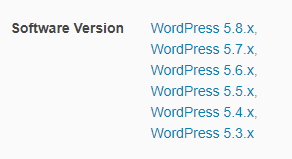
We will try to fix it with a theme update in the future.
Now, you can downgrade your WordPress version with a plugin:
https://wordpress.org/plugins/wp-downgrade/Recommended: Always do yourself the WordPress new major version updates.
Tip: Go to your “Dashboard > Updates” page, and disable automatic updates for new major versions of WordPress. (Switch to automatic updates for security releases only)Hi,
You can get your license key via this topic;
https://www.pixelwars.org/forums/topic/tutorlms-pro/
Unfortunately the plugin author doesn’t provide auto updates without a license key anymore. But, we will update the JetElements plugin to the latest version with the next update.
ThanksYou are welcome.
Hi,
This is true but css is working. Please clear your browser cache.Hi,
First of all, you need to update the theme. Then you can delete the those plugins > go to appearance > install plugin > you will able to install and activated latest version of those plugins.
ThanksHi,
You can use these custom css codes;.nav-single h4 { color: #aaa; } .nav-single a { color: #333; border-bottom: 1px dotted #ccc; }Thanks
Thanks for the feedback.
You are welcome.
Hi,
I tested it and working on my side.
If you provide me your wp admin details, I can add this css code for you.
ThanksYou are welcome :) We’d be very happy if you can spare a minute to rate the theme on ThemeForest. Your feedback will boost our motivation and help us to work harder on future updates.
https://themeforest.net/downloads
Thank you for your support.
Hi,
Do not update your wordpress version for a while. We will provide the necessary tests.
ThanksHi,
I just updated your elementor plugin and it is working again.
ThanksHi,
Could you please provide me your wp admin details via our private content box below?
Btw, update your theme to the latest version.
https://www.pixelwars.org/forums/topic/how-to-update-your-theme/
ThanksHi,
I will reply your topic here and also I will import a fresh copy of the theme for you.
https://www.pixelwars.org/forums/topic/problems-with-installation-widgets/
ThanksHi,
Can you check out the steps again?
https://wpforms.com/docs/how-to-set-up-and-use-recaptcha-in-wpforms/
ThanksHi,
Could you please provide me your wp admin details via our private content box below?
Also, can you send me a screenshot, please?
Thanks
