

Forum Replies Created
list of topics you have created till now.
-
-
Hi, use this in your custom css field:
body.single .by-author { display: none; }Thanks
Hi, firstly update the theme to the latest version then paste the custom css code to:
– Theme Options > Style > Custom CSS.
Thanks
Hi, please use inline media shortcode. Please see this post http://www.pixelwars.org/forums/topic/can-someone-please-explain-to-me-how-to-embed-a-video-in-masonry
Thanks
You are welcome!
Can you provide a screenshot?
You can add more images with the content editor.
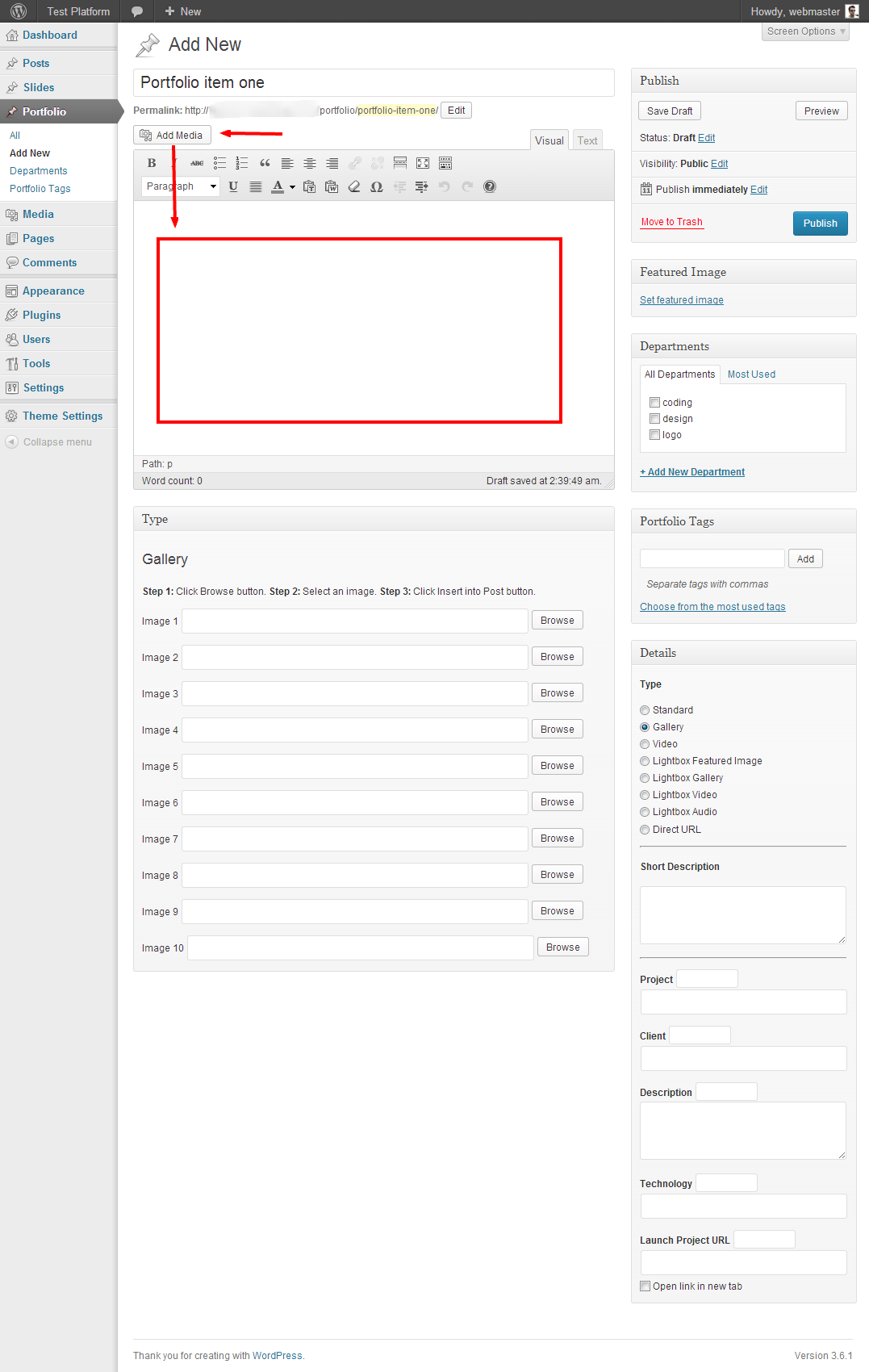
Hi, use this custom css:
#secondary .widget { padding-bottom: 1em; }Thanks
Hi,
– create a new page,
– select it from Reading Settings to display your posts,
– add it to your menu.
Thanks
The way “Theme Options > Pages > Portfolio Page” is for a portfolio page not for a blog page.
Can you provide your URL?
Hi, update style.css file for version info.
Thanks
Hi, you can try the qTranslate plugin.
Note: Also read this http://www.pixelwars.org/forums/topic/qtranslate-language-switcher-on-home-page
Hi,
– go to your theme folder/js/wp-theme-customizer.js
– open wp-theme-customizer.js file
– find http words
– change them to https
Thanks
Hi,
– go to appearance > editor > comments.php
– find the line:
if ( comments_open() )
– change it to:
if ( 1 == 1 )
Thanks
Hi,
in v1.1.1
– Theme Options > Style > Google Fonts URL
Thanks
Did you try an another video format?
Hi,
– Go to Appearance > Editor > functions.php
– Add this to the end of the file:
function remove_more_jump_link( $link )
{
	$offset = strpos( $link, '#more-' );

	if ( $offset )
	{
		$end = strpos( $link, '"', $offset );
	}

	if ( $end )
	{
		$link = substr_replace( $link, "", $offset, $end-$offset );
	}

	return $link;
}

add_filter( 'the_content_more_link', 'remove_more_jump_link' );
Thanks
You are welcome!
Hi, they are:
template-blog.php
page_inner-portfolio.php
page_inner-resume.php
functions.php
send-mail.php
theme-options.php
Thanks
You are welcome!
Hi, you can use the Captcha plugin.
Thanks
Hi, activated the post name option and a .htaccess alert appeared. It is a server related message. Please contact your host.
Thanks
Try this:
[row]
	[column width="12"]
		[row]
			[column width="7"]
				Put your content here.
			[/column]
			[column width="4" offset="1"]
				Put your content here.
			[/column]
		[/row]
	[/column]
[/row]
[row]
	[column width="12"]
		Put your content here.
	[/column]
[/row]
Send your login info, i will check.
Mehmet S.
Keymaster4 October 2013 at 19:57Posted in : Site Not Displaying Correctly Since New UpdateHi, please see this topic http://www.pixelwars.org/forums/topic/version-3-2-not-working
What kind of video?
Hi, please don’t use any other default widget, only use custom theme widgets.
See in the image:

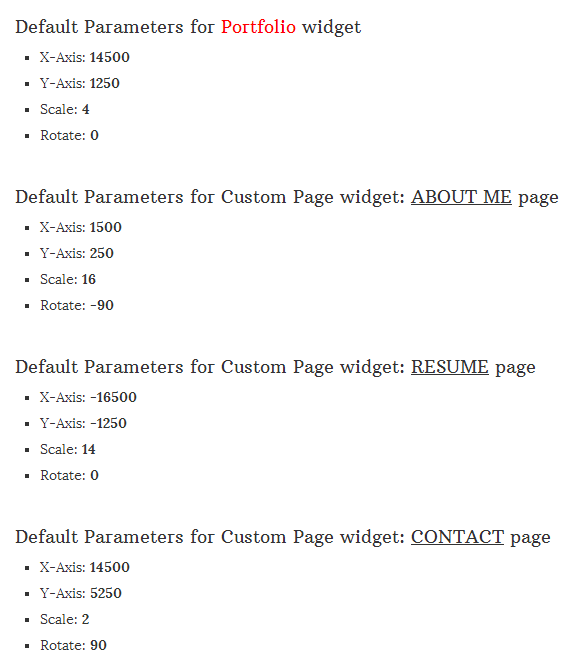
Hi, please check the widget parameters.
See in the image:
You are welcome!
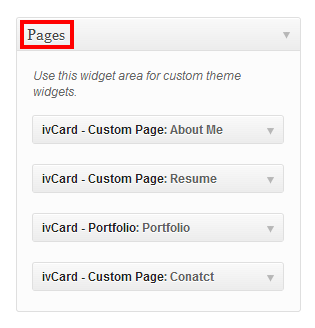
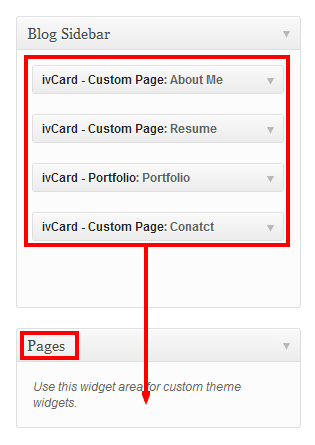
Hi,
– added a new widget location (Blog Sidebar),
– placed it to the first place,
– move your custom page widgets to Pages widget location.
See in the images:
(v3.1)
(v3.2)
Hi, just tested and worked fine.
Thanks
You are welcome!
Hi, use this custom css:
html { font-family: Georgia; }Hi, please update to the latest version.
Thanks
Hi, just tested and worked fine.
Theme Options > Style > External CSS/JS
Try again please.
It is weird, please contact your host.
Hi, please see the localization section in the documentation.
Thanks
Keymaster1 October 2013 at 23:06Posted in : Problems with services shortcode and responsiveHi, please use content editor widget instead of text widget.
Thanks
This is not possible by default, needs more further customization, you may consider working with a professional, if you are not familiar to WordPress coding.
It is ok on my side:
That’s a nice idea. I will have that in mind for a next update. Thanks.
Hi, please see the section of Documentation > Shortcodes > Tabs.
Thanks
Hi, the list is in the documentation.
Thanks
Hi, move your Biyografi widget to the top.
Thanks
You are welcome!
There is no a child theme for Responsy WP on my side.
Hi, please use column shortcode.
Thanks