Forum Replies Created
list of topics you have created till now.
-
-
It is working fine on my side. I have just tested with the latest version (v3.5.6).
Paste to Theme Options > Style > Custom CSS:
#site-navigation #search-form #search { min-width: 90px; }Please check plugin’s support forum.
Paste to Theme Options > Style > Custom CSS:
.widget_text .tabs ul li { padding-left: 0px; margin-bottom: 0px; } .widget_text .tabs ul li:before { content: ""; }There are examples in the theme documentation. Please check it.
Paste to Theme Options > Style > Custom CSS:
#site-navigation { display: none; }What is your theme version?
Twitter is changing in worldwide. Please go to twitter dev center.
You can use Custom Menu widget in your sidebar.
Please download the new version from ThemeForest.net and install it via WordPress admin.
The template works in tablet mode on IE browsers. Because they do not support 3D animation techniques.
Please read Localization section in the theme documentation.
Can you provide a screenshot?
Please also check the External CSS/JS box over there.
Please take a look to support forum of the plugin.
You can use the underConstruction plugin.
Do you have any custom code in the box of Theme Options > Style > Custom CSS.
I will think this. Thanks for the feedback.
In our demo site we have four pages. But you have one more page in your site and it is placed on another one.
Not tested.
Another way is localization method.
– Documentation > Localization.
Which plugin are you using for the Flattr button?
Mehmet S.
Keymaster3 June 2013 at 19:32Posted in : Thumbnails When Sharing Links on Social NetworksPlease update the theme to the latest version.
Keymaster3 June 2013 at 19:27Posted in : Font size on front-page excerpt and in blog postNot again.
Please select video type for videos.
Yes, it is possible. Just change publishing date.
You have Read WP theme on your site. This is Responsy WP forum. Please write to right place.
Some incorrect parameters found. Please check the required parameters for widgets.
– Documentation > Widgets.
Please do a test for the demo site: http://themes.pixelwars.org/bookcard
– IE browser doesn’t support 3D animation.
( CSS3 3D folded style layout with fallback to classic layout for non-supported browsers. )
Where do you want to use Flattr button?
Paste your video embed code to Type > Video box.
Do you have the latest version of the theme?
You can use Twitter Widget Pro.
Can you provide a sample image?
Paste to Theme Options > Style > Custom CSS:
a.rm-button-open { top: 70%; }I will check the code hierarchy of the theme.
Keymaster1 June 2013 at 19:21Posted in : Thumbnails When Sharing Links on Social NetworksI will release an update in a week.
Can you provide a screenshot?
Thanks grahamn.
– That’s a nice idea. I will have that in mind for a next update. Thanks.
That’s a nice idea. I will have that in mind for a next update. Thanks.
– At this time, you can use Gallery type for your images and add your video to content editor.
Thank you.
You can upload your PDF file to your Media Library.
Keymaster31 May 2013 at 14:32Posted in : Font size on front-page excerpt and in blog postThe URL doesn’t work.
Every portfolio item type has its own content file.
It is good on my iPad with Safari.
You can tr qTranslate: http://wordpress.org/plugins/qtranslate
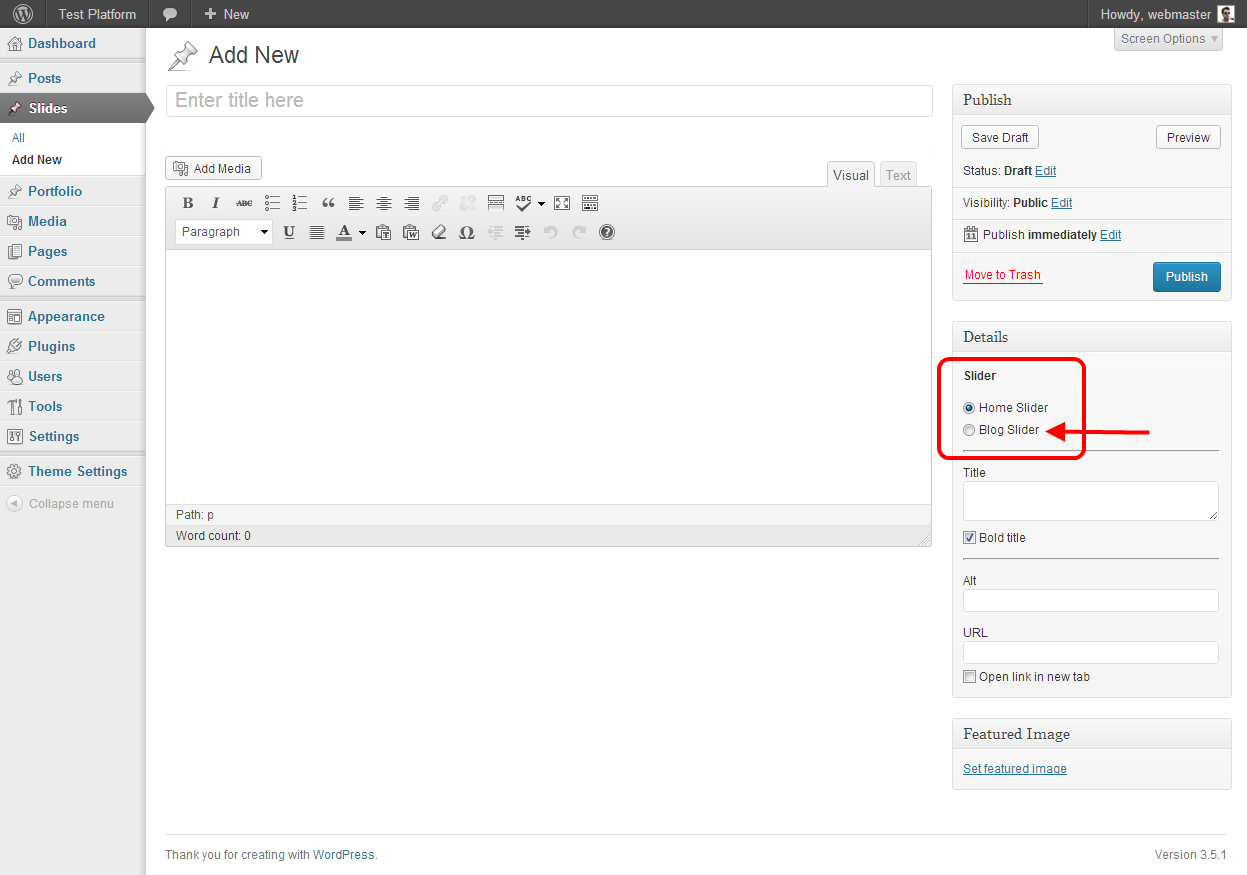
Please check the Slider option of your slides. –> http://themes.pixelwars.org/responsy-wp/wp-content/uploads/2013/05/01.png