

Forum Replies Created
list of topics you have created till now.
-
-
Theme Settings > Style > Custom CSS
Please see: Documentation > Localization.
I have no idea.
You can use the custom css code to effect directly to the footer:
Add the codes to Style > Custom CSS:
Link Color:
.widget ul.list li a { color: red; }Link Hover Color:
.widget ul.list li a:hover { color: grey; background-color: black; }Custom Twitter widget works only one location.
Hi everybody,
I have just tested again and it is working properly and I receive emails. Maybe it is related your server configuration, you can ask this to your hosting company.
Fill its input with your email on back-end side.
Theme Settings > Contact > Contact Form Email AddressFrom its widget title.
Please see: Documentation > Widgets.
Work step by step as numbered for each image.
– Make sure you have right plugin (check plugin name and plugin author name),
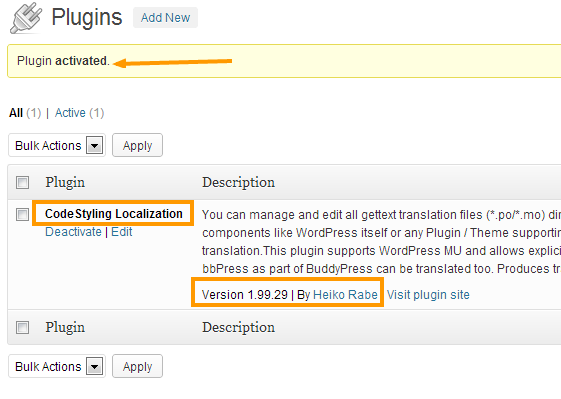
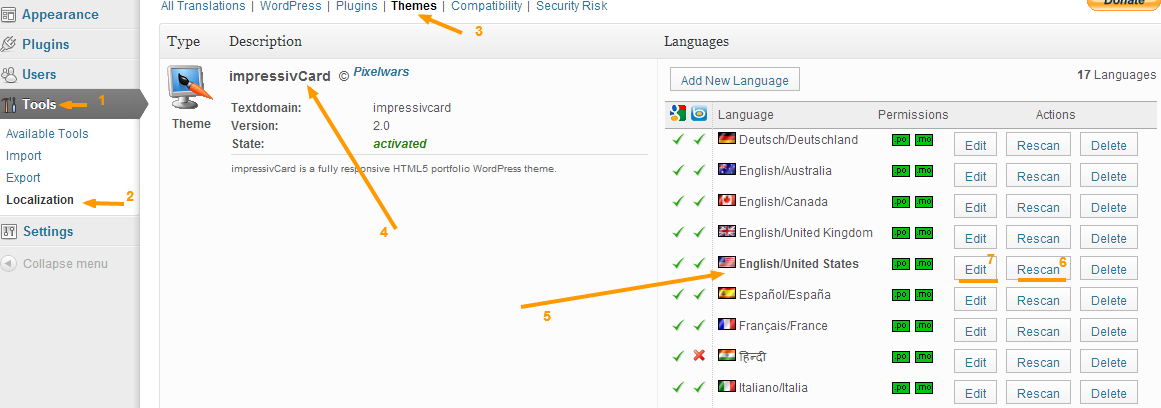
– Find your own language from the flag list,
– Click rescan button and do it,
– Then click edit button to go translating page,
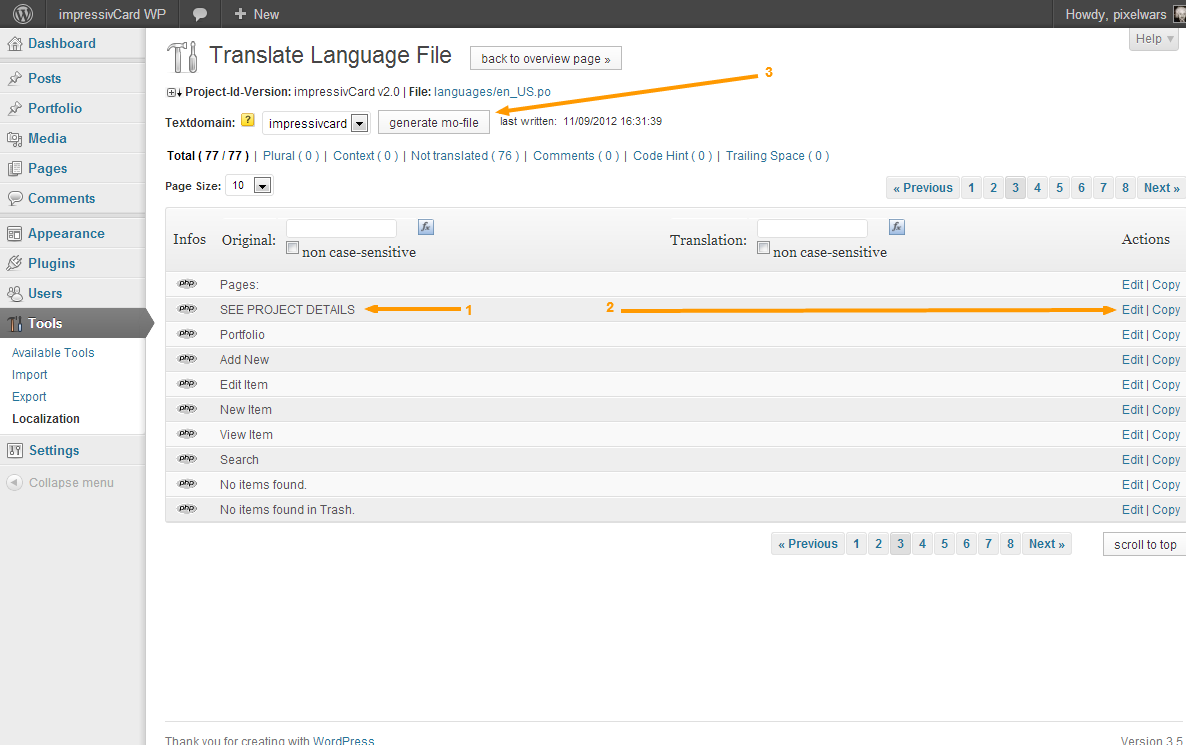
– Find your phrase end translate it what you want,
– Finally click generate mo-file button.
Please see: Documentation > Localization.
You must re-upload your images after defining new values.
I understand, but the theme’s url addressing functionality does not compatible with the plugin’s needed url in 3D layout. But you can also try to switch the layout option to safe mod by navigating to Theme Options > Animation > Enable Safe Mode.
We have coded the theme with today’s WordPress coding standards, but is there a plugin related alert message on the dashboard about working problem?
I have modified author and category archive files of the theme for full width.
– Download the zip file and unzip it, then replace the files.
http://themes.pixelwars.org/responsy-wp/wp-content/uploads/2013/01/author-and-category-archives.zipWhat is your theme version?
How To Learn A Theme Version?
http://www.pixelwars.org/forums/topic/how-to-learn-a-theme-versionI have tried the code below and it worked.
[inline_video]<iframe width="560" height="315" src="http://www.youtube.com/embed/ZA9UH4XzMKM?rel=0"></iframe>[/inline_video]
I think your video’s url is not correct.
Please see: Documentation > Localization.
Please read the update instructions under Theme folder. ( Read me file )
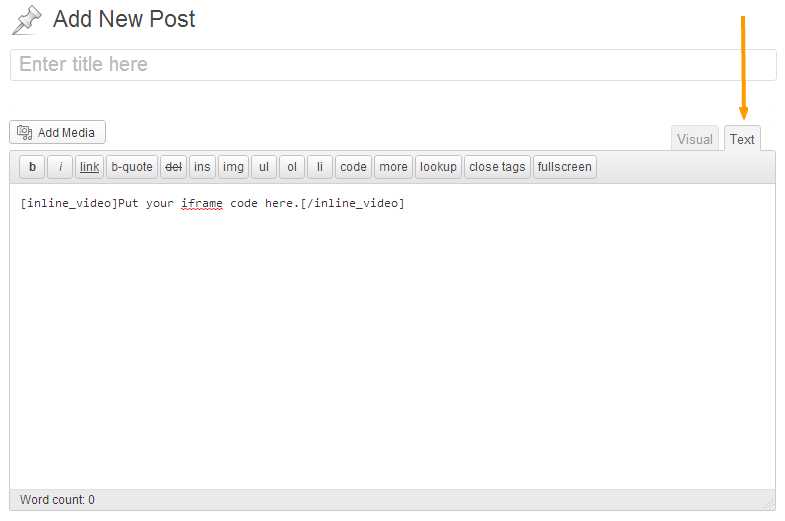
Switch to the Text tab of the content editor when you use the inline_video shortcode.
You can define your custom values from its options.
Theme Settings > Style > Cropping For Latest Posts
That’s a nice idea. I will have that in mind for a future update. Thanks.
You should use your video shortcode like here:
[inline_video]Put your iframe code here.[/inline_video]
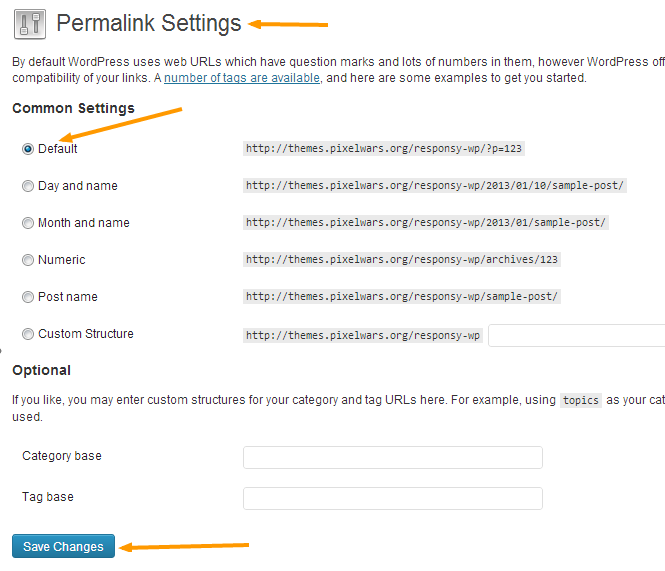
Go to WP > Settings > Permalinks:
– Select the
Defaultoption and click the save button then go back to front of your site and click your project,– If it works fine wordpress will recognize the URL anymore and finally you can choose your “Post name” again.
Do you have the latest version of the theme?
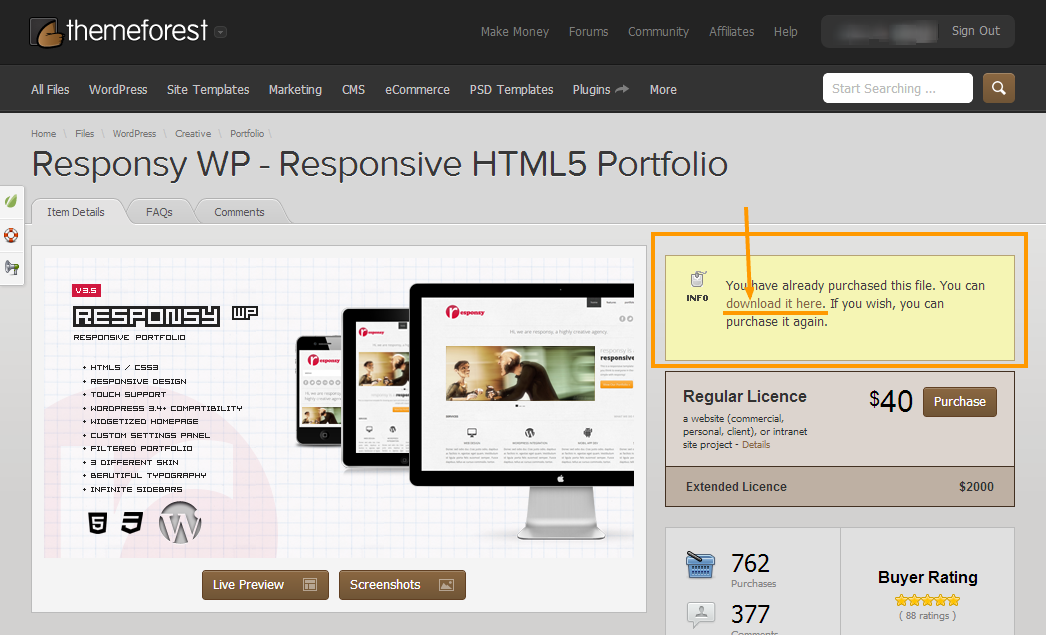
You can see the changelog of the Responsy WP theme by clicking the link below:
http://themeforest.net/item/responsy-wp-responsive-html5-portfolio/2290361Go to
Appearance > Menus > Theme Locationsand re-select your created menu and click the save button.media_boxshortcode was changed in the v3.4 and we have updated the documentation but had forgotten to update the dummy data. Thanks for the feedback.Please see: Documentation > Shortcodes > Media Box.
Media Box Shortcode:
[media_box type="" hover_text="" alt="" title="" width="" align="" lightbox="" new_tab="" thumbnail="" src=""]

type="" ... image, video, link
align="" ... align-left, align-right
lightbox="" ... yes
new_tab="" ... yes
This theme does not support sub menus.
We haven’t tested the theme with that plugin.
It is working on my preview site. Maybe it is related your server configuration. You can ask this to your hosting company.

Your previous changes have been saved to database, so they will be stayed after update.
New version is available.
Download at:
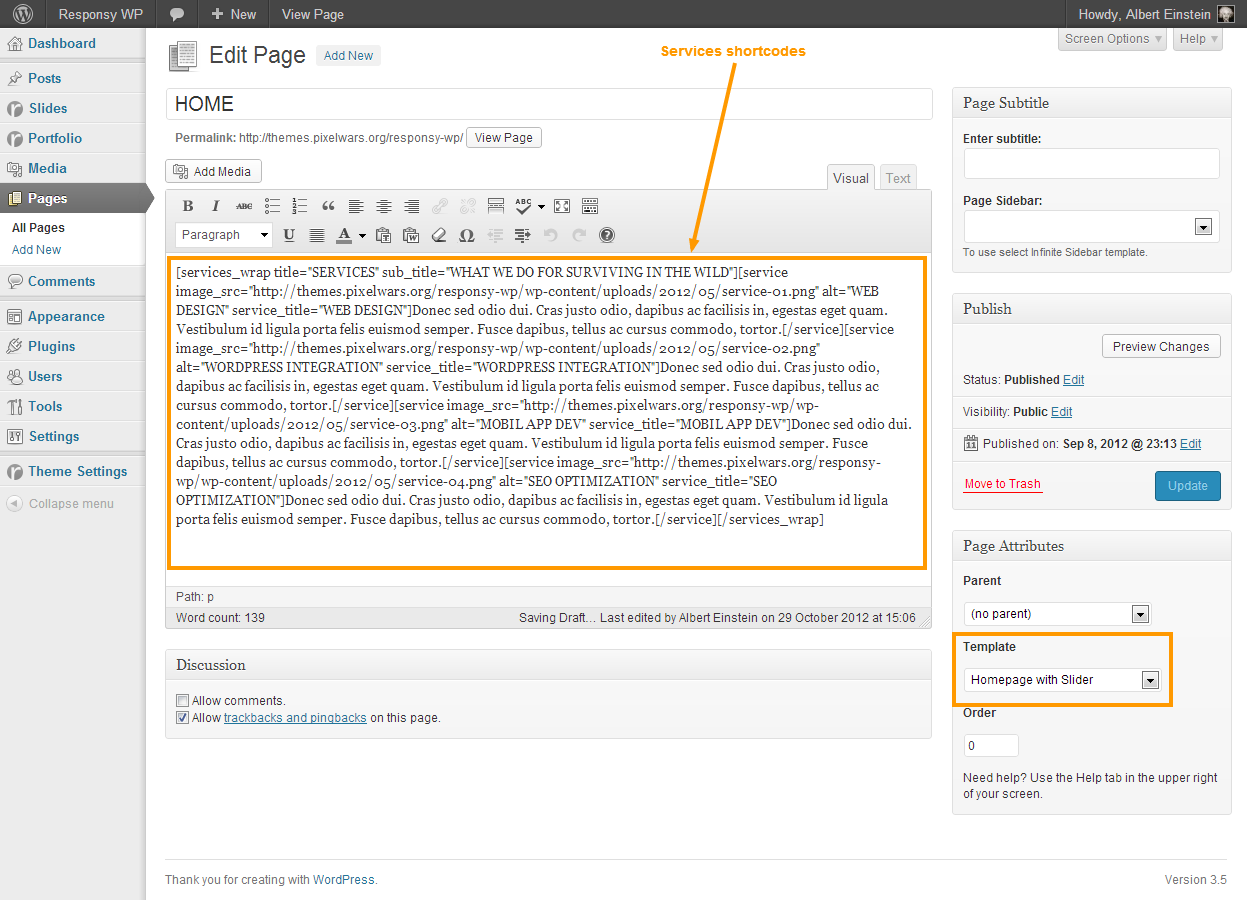
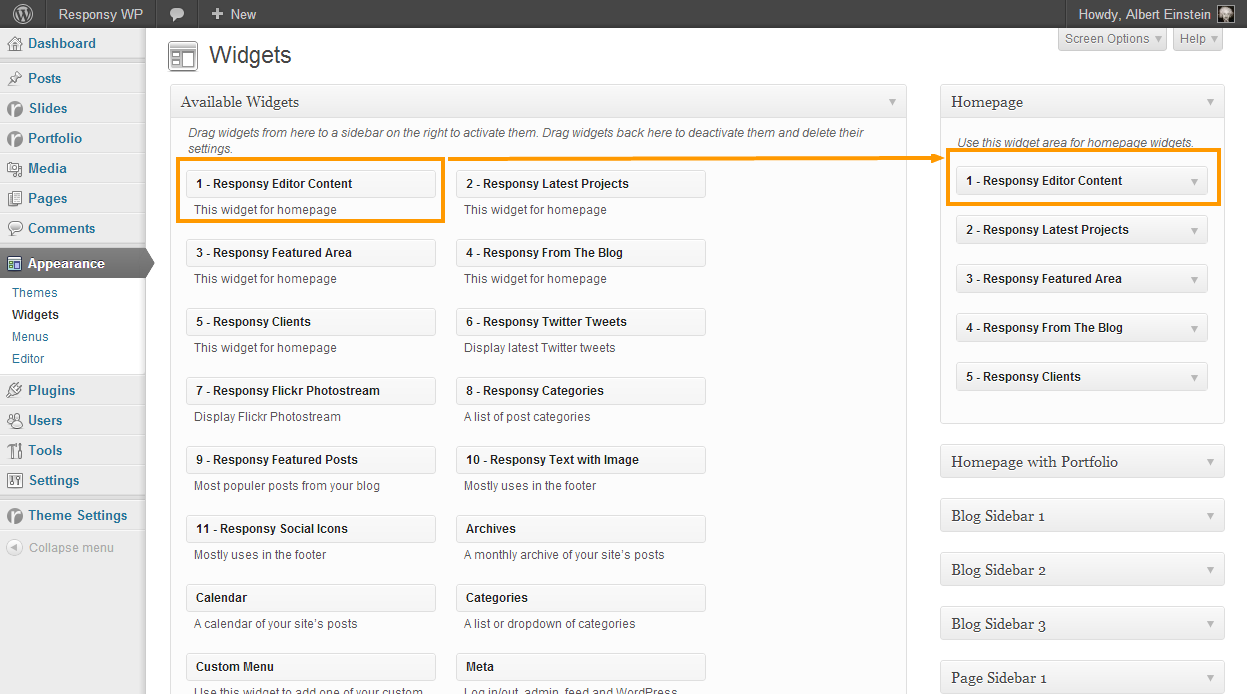
http://themeforest.net/item/impressivcard-wp-responsive-html5-vcard/3347567To create services on homepage:
– Use services shortcodes in your homepage content editor,
– Don’t forget to drag the Editor Content widget to its widget location.
Services Shortcodes:
[services_wrap title="" sub_title=""]
	[service image_src="" image_url="" alt="" service_title=""]Put your text here[/service]
	[service image_src="" image_url="" alt="" service_title=""]Put your text here[/service]
	[service image_src="" image_url="" alt="" service_title=""]Put your text here[/service]
	[service image_src="" image_url="" alt="" service_title=""]Put your text here[/service]
[/services_wrap]
Thanks buddy.
There is no widget location in the header.
Gallery type portfolio item is working fine on the demo site of responsy wp:
http://themes.pixelwars.org/responsy-wp/portfolio/some-project-6Hi, i have just checked, next image is properly shown as in the grid sequence.
No, you don’t have to re-purchase. All updates are free.
Please see:
How To Create CTA?
http://www.pixelwars.org/forums/topic/how-to-create-ctaYes, it could be linked to directly from the menu by using a custom link.
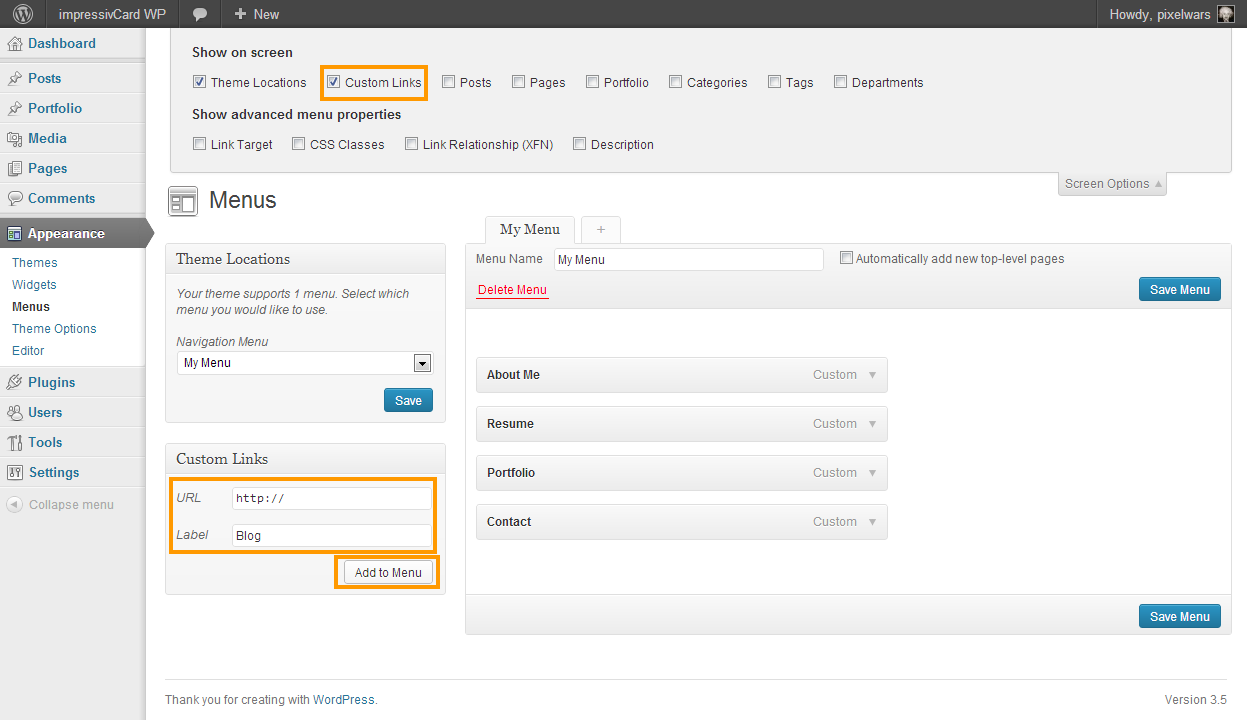
Actually I don’t know what solution is the right way exactly , but in the future it might be done.
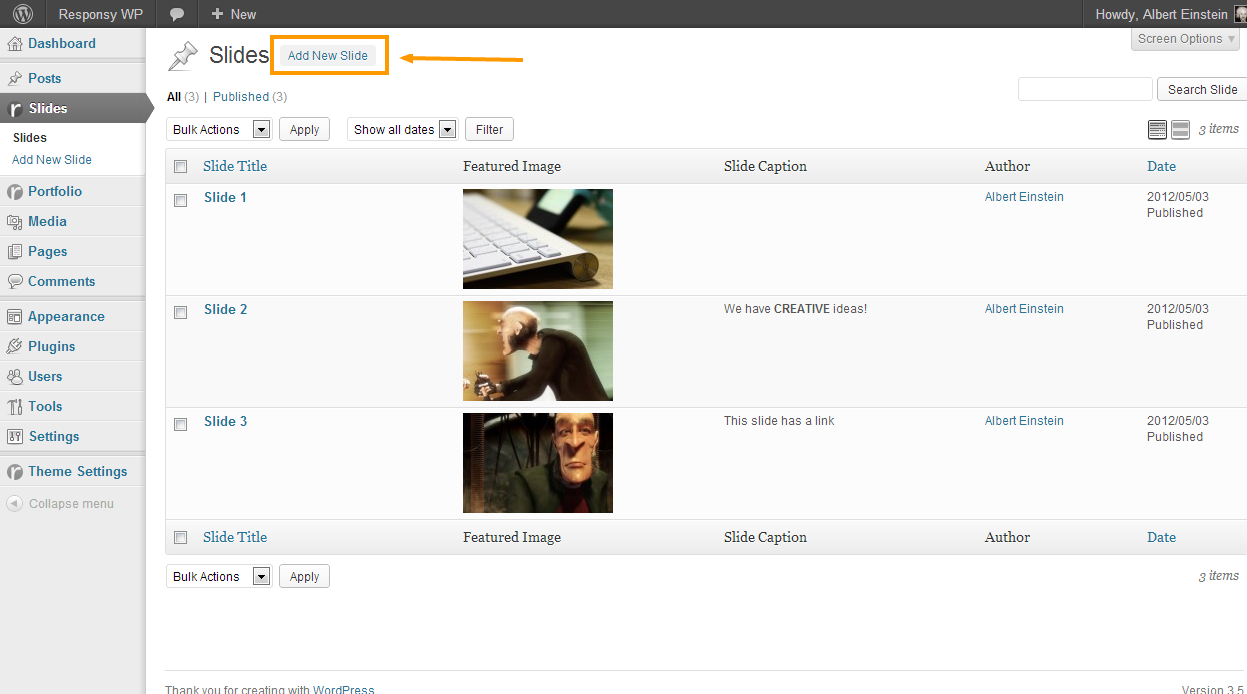
– Click “Add New Slide” link to add slides which I have marked on the images below:
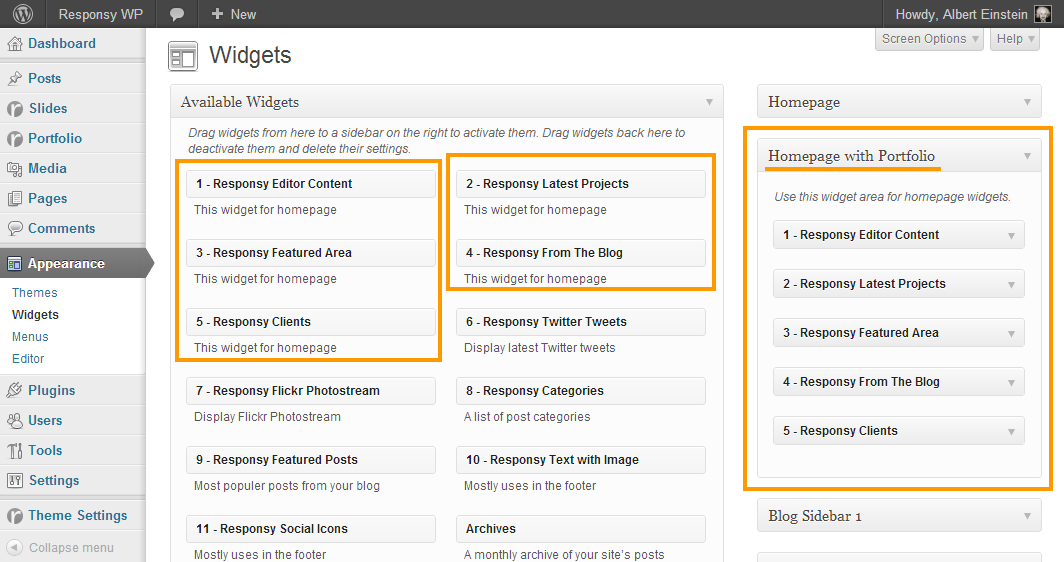
– Drag and drop homepage widgets as the image below:
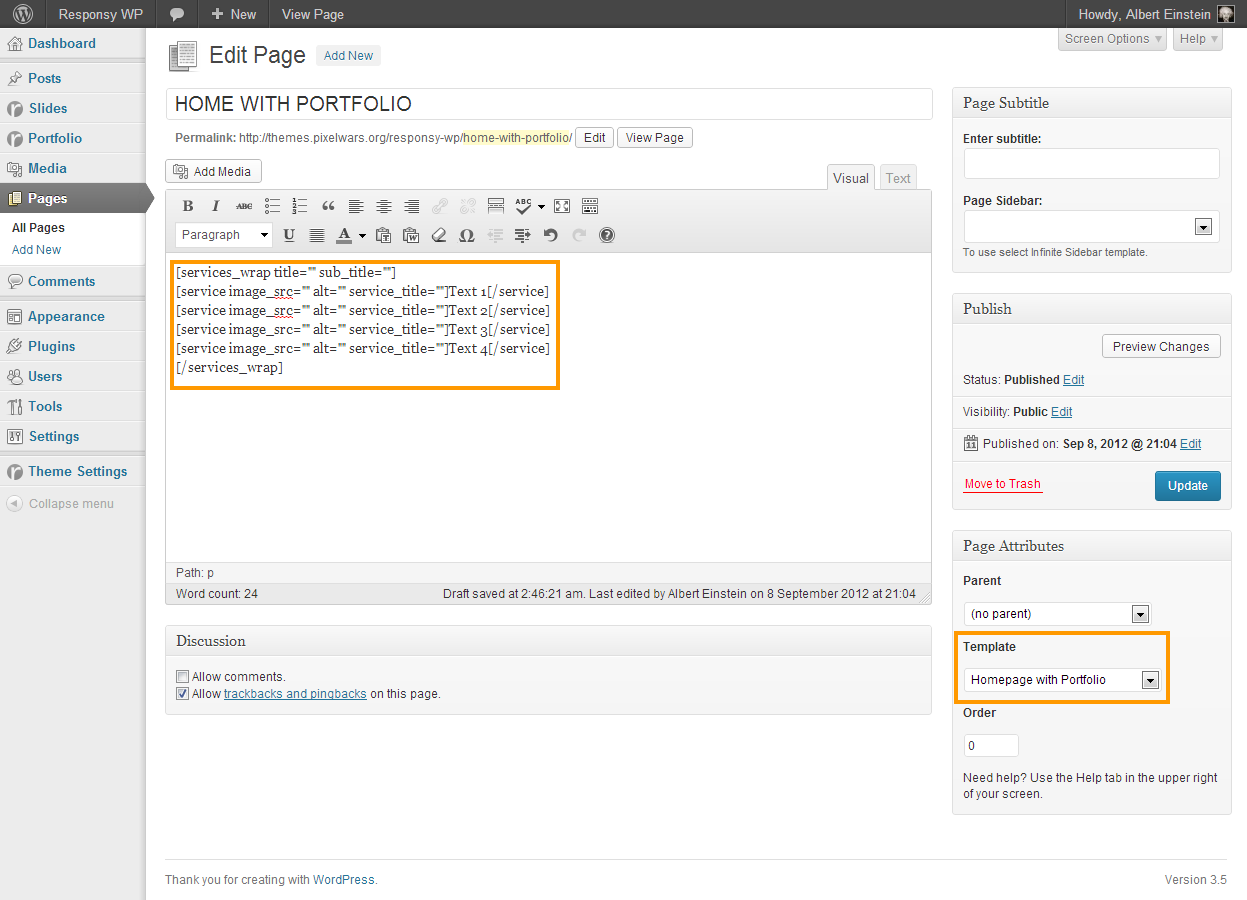
– Use services shortcodes to add them from the content editor of the page:
Max viewable image sizes are:
– For blog post 768px width,
– For big slider 1170px width,
– For small slider 770px width,
– For portfolio items 870px width.
Please see:
http://www.pixelwars.org/forums/topic/how-to-create-homepage/Please see:
http://www.pixelwars.org/forums/topic/how-to-create-homepage/You must select “Homepage with Portfolio” template.
[services_wrap title="" sub_title=""]
	[service image_src="" image_url="" alt="" service_title=""]Put your text here[/service]
	[service image_src="" image_url="" alt="" service_title=""]Put your text here[/service]
	[service image_src="" image_url="" alt="" service_title=""]Put your text here[/service]
	[service image_src="" image_url="" alt="" service_title=""]Put your text here[/service]
	[service image_src="" image_url="" alt="" service_title=""]Put your text here[/service]
	[service image_src="" image_url="" alt="" service_title=""]Put your text here[/service]
	[service image_src="" image_url="" alt="" service_title=""]Put your text here[/service]
	[service image_src="" image_url="" alt="" service_title=""]Put your text here[/service]
[/services_wrap]
To add captcha:
[contact_form captcha="yes" to="me@you.it" subject="This message from my personal site"]That’s a nice idea. I will have that in mind for a next update. Thanks.
– After update to a new version you must save again your created menu.
– The translation files are located under languages folder. Copy your translated files ( .po and .mo ) from previous version of the theme.
